01
Open Account settings
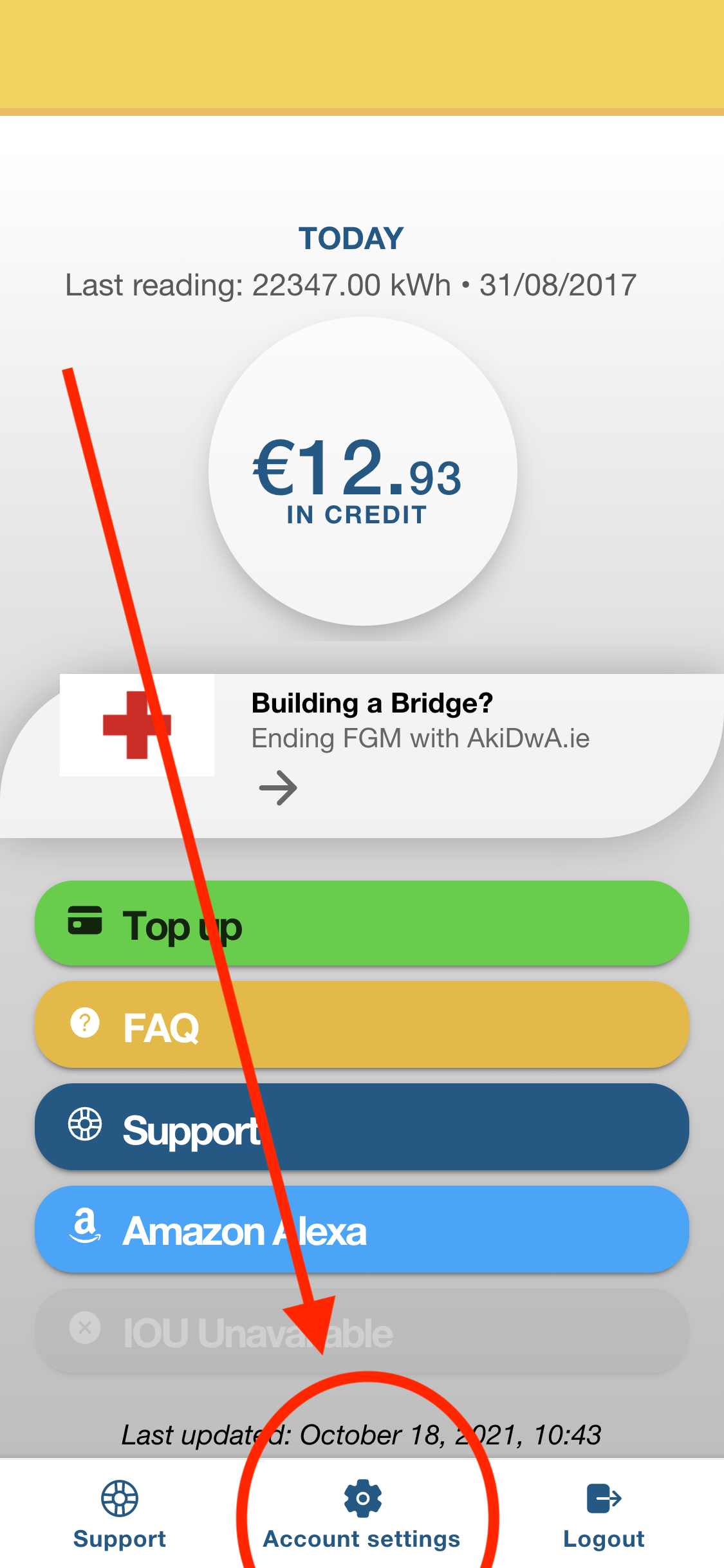
Sign in to Snugzone. From the dashboard, select Account settings.
Payments
Manage the cards saved to your Snugzone account securely in the app. Follow the four short steps below.
You can add a new card or remove an old card at any time from the account settings area of the Snugzone app.
Sign in to Snugzone. From the dashboard, select Account settings.
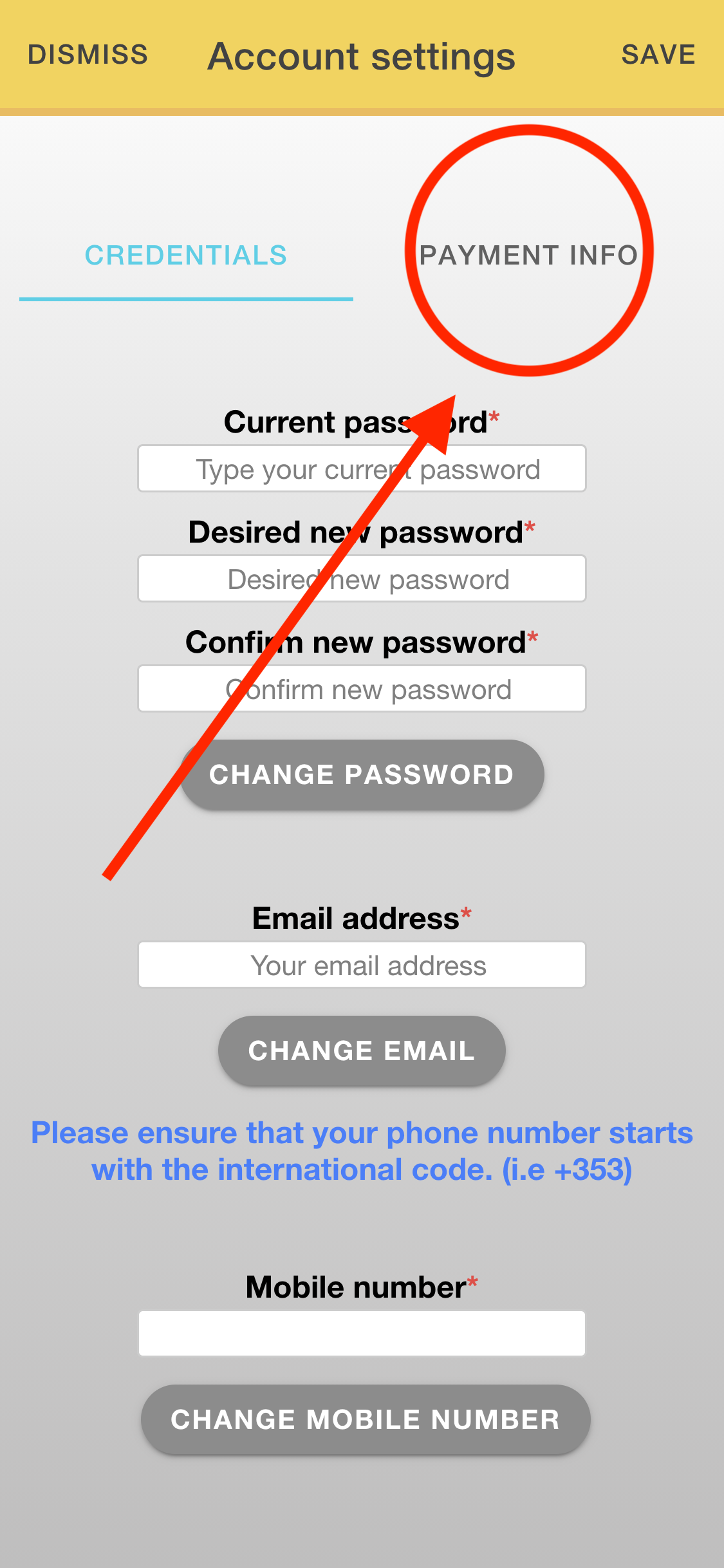
In Account settings, select the Payment info tab in the top-right corner.
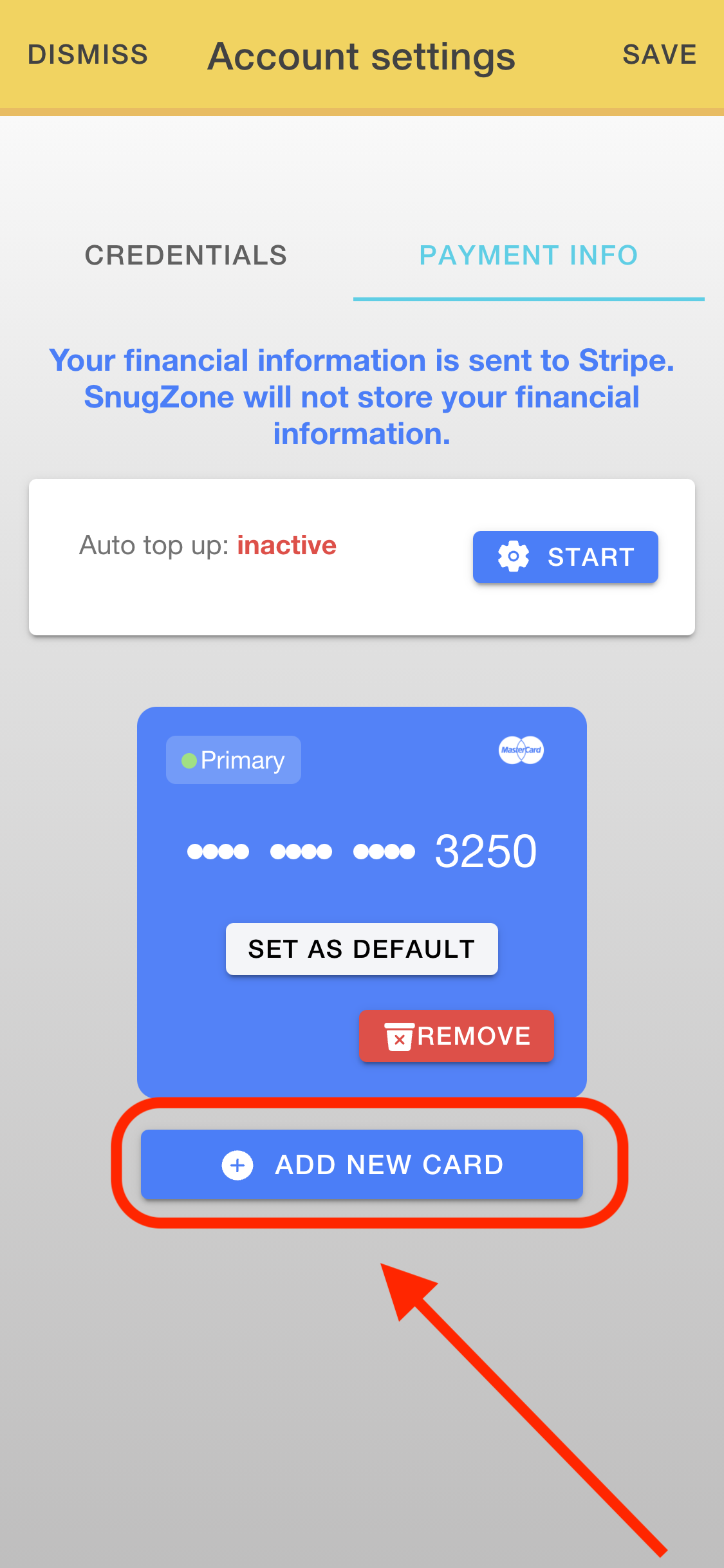
Review the cards linked to your account. Select Remove beside a card you no longer want to use, or choose Add new card.
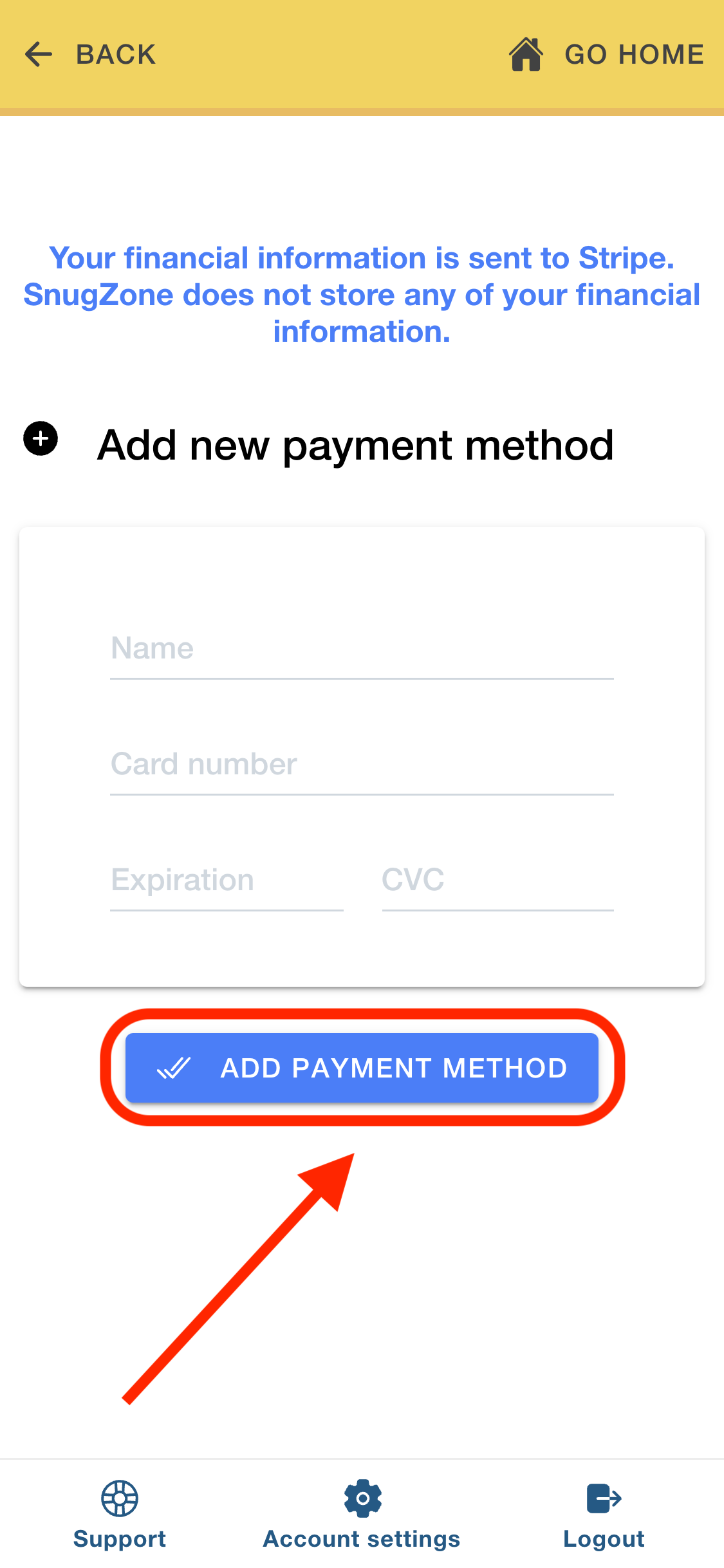
Select Add new card and enter the requested card details on the secure payment page to finish.